
JUDLEX · A desktop application for law firms
The case file,in order within minutes.
JUDLEX classifies the case file, numbers each document with its folios and extracts parties, facts and dates. It then prepares reports, fee estimates and filings for you to review and sign. Case files stay on your computer.
What it does
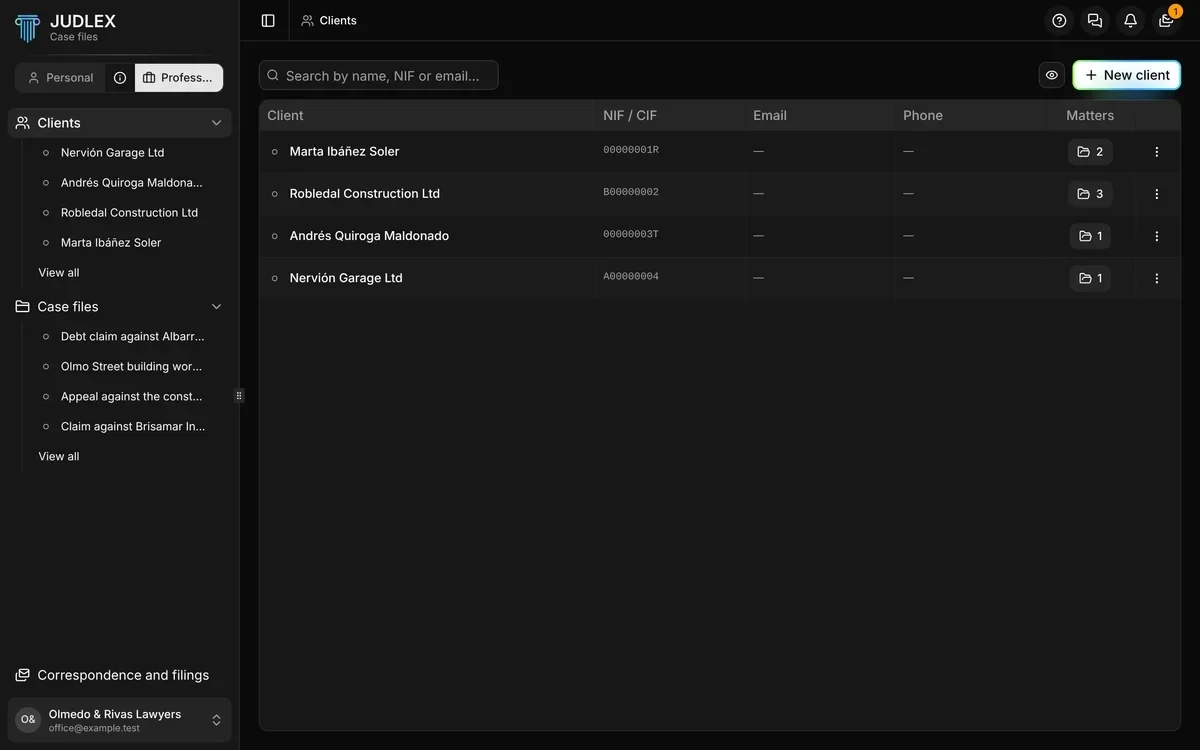
The mechanical side of the case file, handled.
Splitting PDFs, numbering exhibits, copying dates and summarising at the last minute takes weeks. JUDLEX does that work and leaves you what matters: reviewing, deciding and signing.
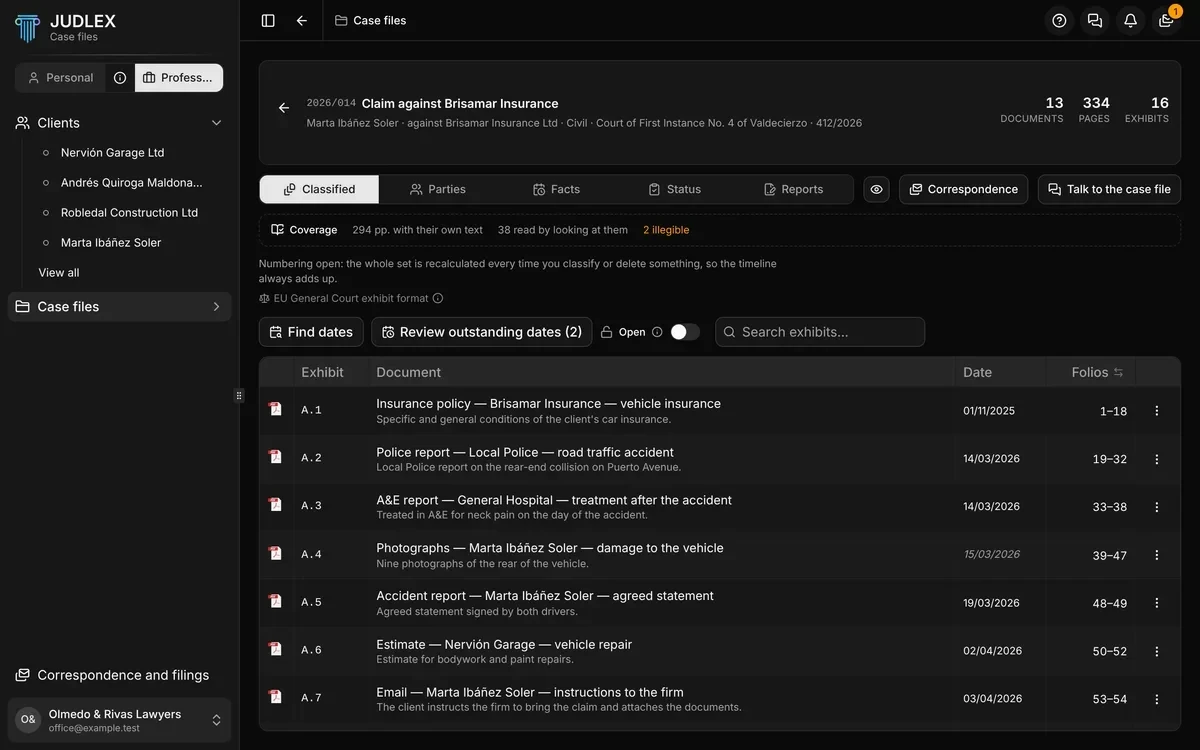
Classification and foliation
Splits the case file into documents, puts them in order and numbers each one with its date and folios.
Parties
Works out who is who: claimants, defendants, counsel, experts and witnesses.
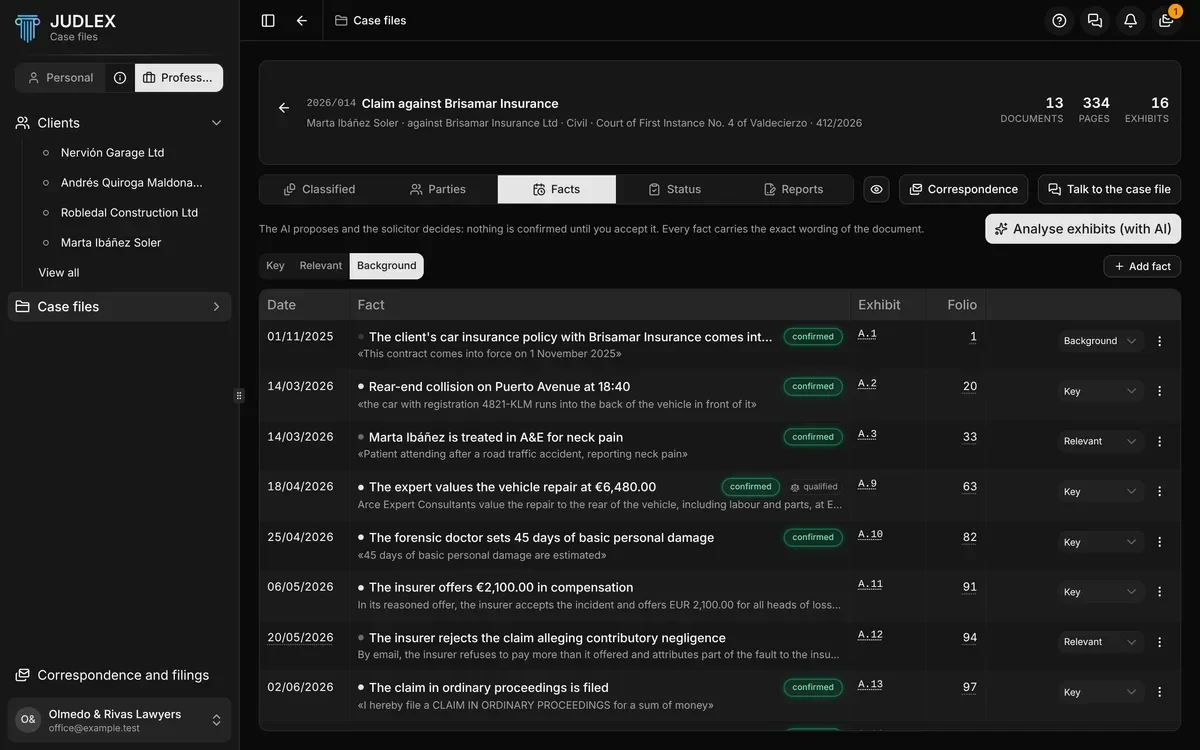
Facts and dates
Reconstructs what happened and when. Every fact links to its document and page.
Reports and filings
Prepares the status report, the client report and filings for you to review.
Fee estimates and deadlines
Calculates a phased fee estimate, prepares the engagement letter and counts deadlines showing the days that do not count.
Teamwork
Several workstations in the firm work on the same shared folder.
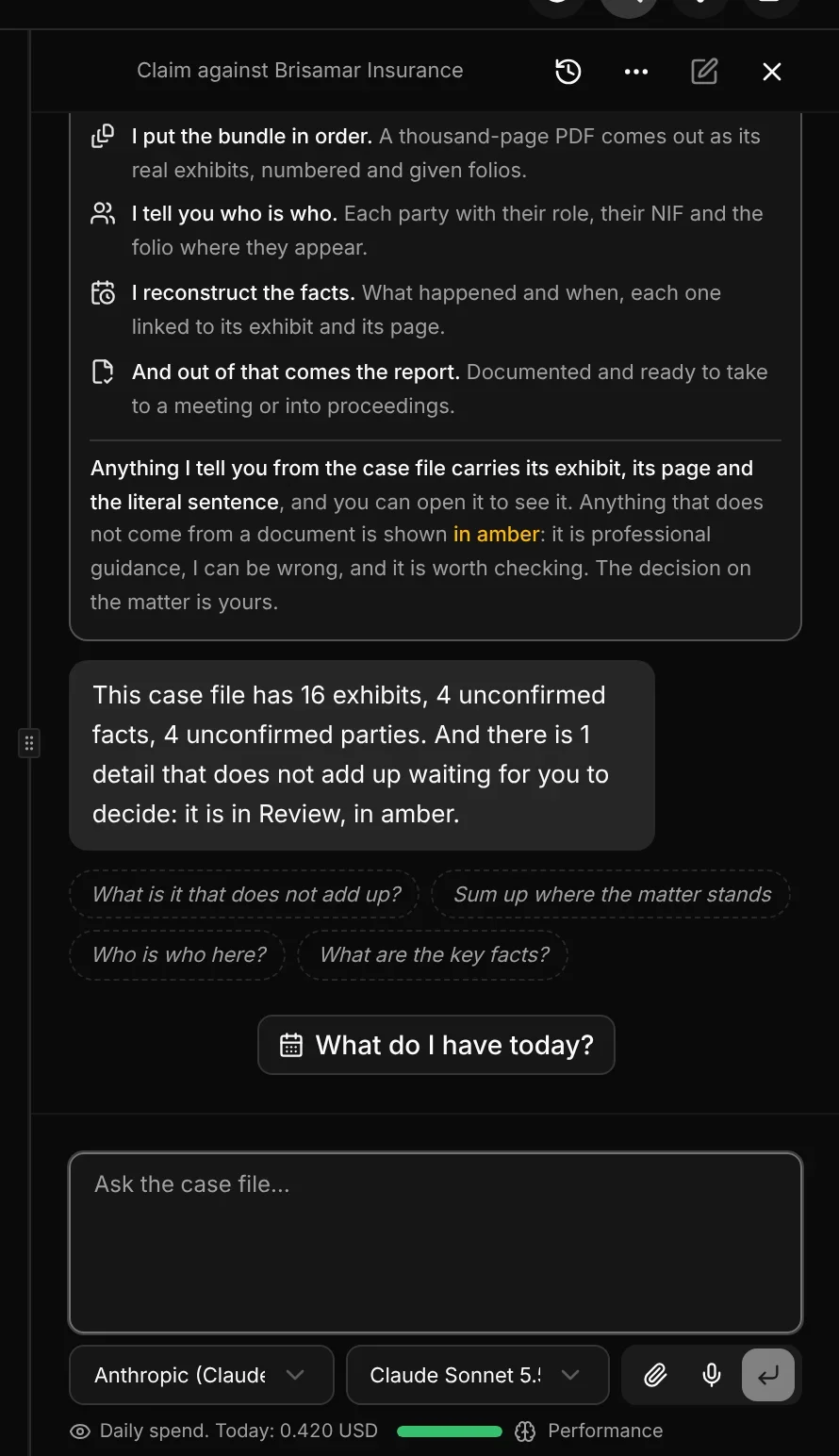
Consultation panel
Ask the case file.
With a case file open, the panel answers by searching its documents.
- Every statement cites the document, the page and the exact sentence.
- Anything that does not come from a document is flagged for you to check.
- It never mixes two case files in the same conversation.
- It shows what you have spent on AI today.
How it works
From case file to filing, in four steps.
Add the case file
PDF, Word or images. Classification starts as soon as you add them.
Classify and extract
Groups, splits and tags the documents, and detects parties, facts and dates.
Review and validate
The AI proposes and you decide: nothing is confirmed until you accept it, and every change is logged.
Generate and deliver
Report, fee estimate or filing, ready to sign and send.
Privacy
Case files stay on your computer.
It works on your machine
JUDLEX copies each file and works on the copy, on your computer. The originals are never touched.
Your AI, with your key
The firm chooses its AI provider. Only the fragments needed are sent, directly from your computer and never through JUDLEX servers.
No tracking by default
The usage summary is optional, switched off by default and never includes case file content.
Traceability
Every decision is logged, and you can inspect the requests that go out to the AI.
Who it is for
For the firm, and for your own papers.
Professional
For law firms and filing practices: clients, matters and case files with exhibits and foliation, conflict-of-interest warnings and export. Includes the Personal section at no extra cost.
Personal
For one person’s papers: home, car, job or taxes. JUDLEX sorts them, reminds you of dates and helps you draft letters and complaints.
Availability
Ready to download.
Systems
macOS today. Windows, coming soon.
Languages
Interface in English and Spanish.
Licence
Per seat, with every feature and all updates included.
Download
Free, with no account or card.
Frequently asked questions
Do I need an artificial intelligence account?
Yes. JUDLEX uses the key of the AI provider your firm chooses: you pay only for what you use, directly to the provider.
Does it work offline?
Case files that are already classified can be consulted offline, and the licence check also works without an internet connection.
What leaves my computer?
To the AI, only the fragments needed for each request, with your key. To JUDLEX, the licence details, the update check and, only if you switch it on, a usage summary. Never the content of your case files.
Let’s talk about your firm.
We will walk you through JUDLEX in a demo and answer your questions.